Add WinDAGs to the tool
you already use.
Your agent gets a library of expert skills and a way to plan work before it runs. Start simple; the technical install paths are below.
What you'll have when you're done
- Your AI agent can search and use specialist skills when the work needs real domain knowledge.
- In Claude Code: a
/next-moveslash command that predicts your next 3-wave action plan from your git state and recent files. - No API keys for the read-only install path. Search and skill lookup run locally; execution uses whatever provider you configure in your client.
Prerequisites
- One of: Claude Code, Claude Desktop, Cursor, Codex CLI, Gemini CLI, or any MCP-compatible client.
- Node.js 18 or later (only for the MCP path; Claude Code path doesn't need it).
- About 30 seconds.
One command. Every tool you have.
windags init auto-detects Claude Code, Claude Desktop, Cursor, Codex, and Gemini CLI on your machine and wires them all in one shot — skills, agents, slash commands, and the MCP server.
$ brew install curiositech/windags/windags && windags init
macOS / Linux (with Homebrew). On Windows or WSL without Homebrew, scroll to Path 1 for the Claude Code plugin marketplace install.
Plugin marketplace (Claude Code)
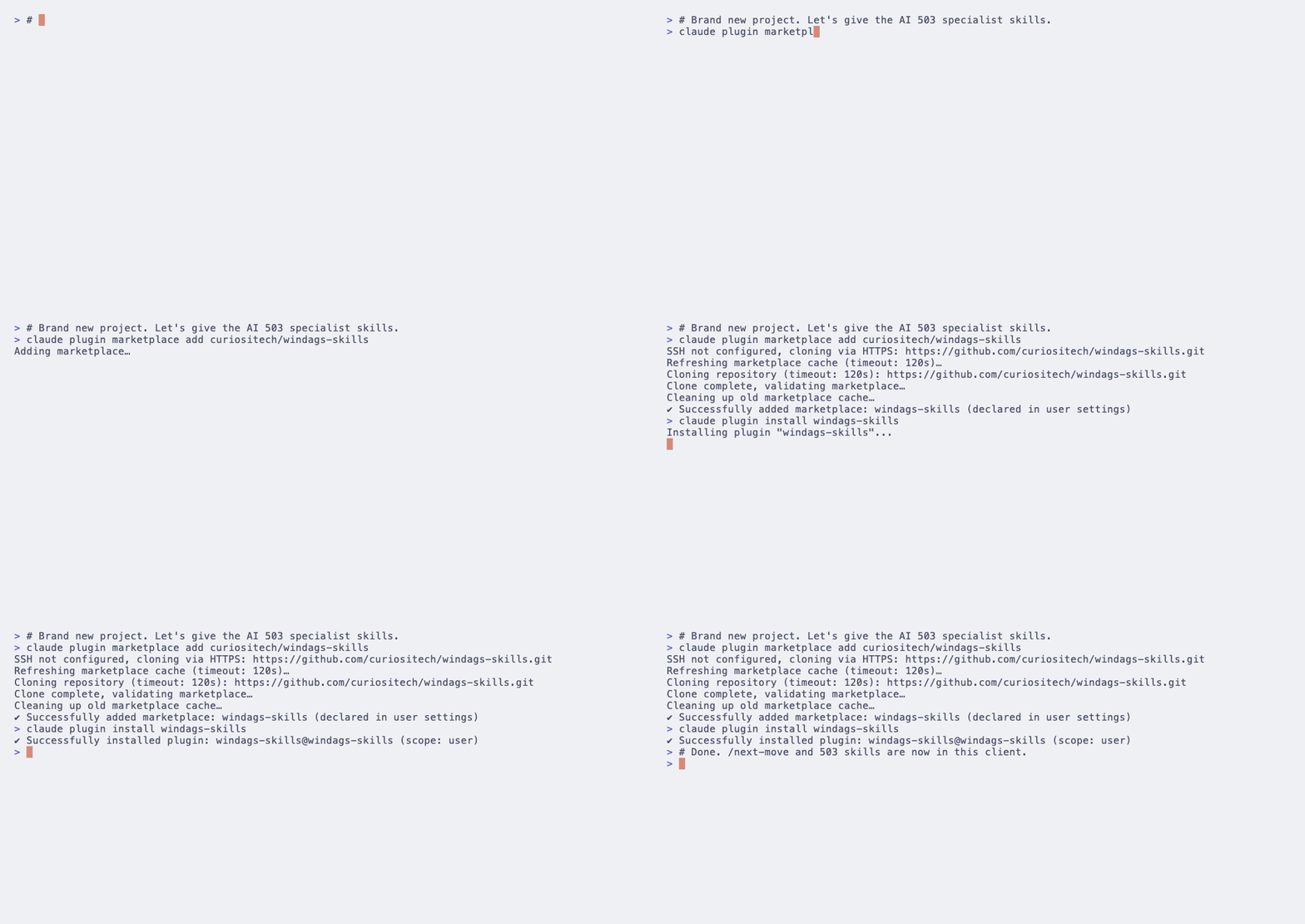
The fastest install. Adds the marketplace, installs the plugin, and you're done. Slash commands and skills appear automatically in Claude Code.
$ claude plugin marketplace add curiositech/windags-skills && claude plugin install windags-skills
~/.claude/skills/ and ~/.claude/agents/./next-move. If it autocompletes, you're set.MCP server (any client)
The MCP server exposes 9 tools over stdio: the 4 retrieval primitives (windags_skill_search, windags_skill_graft, windags_skill_reference, windags_history) plus 5 planner-grade tools added in v2.8.0: batch search and graft, windags_node_requirements (provider-native model IDs, no more bare "haiku"/"sonnet" leaking to non-Anthropic providers), windags_validate_dag for schema-checking, and windags_estimate_cost for planning-time cost surfacing. Full reference at /tools. Zero API keys for the read-only tools — the cascade runs locally.
Claude Code
$ claude mcp add windags -- windags-mcp
Claude Desktop
Edit ~/Library/Application Support/Claude/claude_desktop_config.json (macOS) or %APPDATA%\Claude\claude_desktop_config.json (Windows):
{
  "mcpServers": {
    "windags": {
      "command": "windags-mcp"
    }
  }
}Cursor
Edit ~/.cursor/mcp.json:
{
  "mcpServers": {
    "windags": {
      "command": "windags-mcp"
    }
  }
}Codex / Gemini CLI / generic stdio MCP
Any client that supports stdio MCP works. After brew install curiositech/windags/windags, point your client's MCP config at windags-mcp over stdio.
Verify
- Open a session in your client and ask: "search WinDAGs for skills about Postgres connection pooling". The agent should call
windags_skill_searchand return ranked matches. - Then: "graft the top match into context". The full skill body should appear and the agent's next answer should be visibly more specific.
- For Claude Code only — type
/next-moveto invoke the prediction pipeline.
Privacy
By default the MCP server fires one fire-and-forget POST to api.windags.ai/v1/events per machine per 24 hours, carrying a hashed machine ID (sha256(hostname+username), truncated to 16 hex chars), the tool name, plugin version, Node major, and OS platform. No raw task text. A small ~/.windags/telemetry-state.json file tracks the last-sent timestamp for sampling. Set WINDAGS_TELEMETRY=off for zero network calls; WINDAGS_TELEMETRY=anonymous (the default) sends the hashed signal above; WINDAGS_TELEMETRY=full opts in to sending the raw task text so we can see where the cascade misses.
Troubleshooting
Run one command. Keep what helps. Uninstall in one second if it doesn't.
One brew command, every AI tool you have wired in. Uninstall is brew uninstall windags. Hashed telemetry is on by default — disable any time with WINDAGS_TELEMETRY=off.
$ brew install curiositech/windags/windags && windags init